qTV UI at a glance
An overview of the qTV (Qt Trace Viewer) window. Back to Components.
Loading a trace
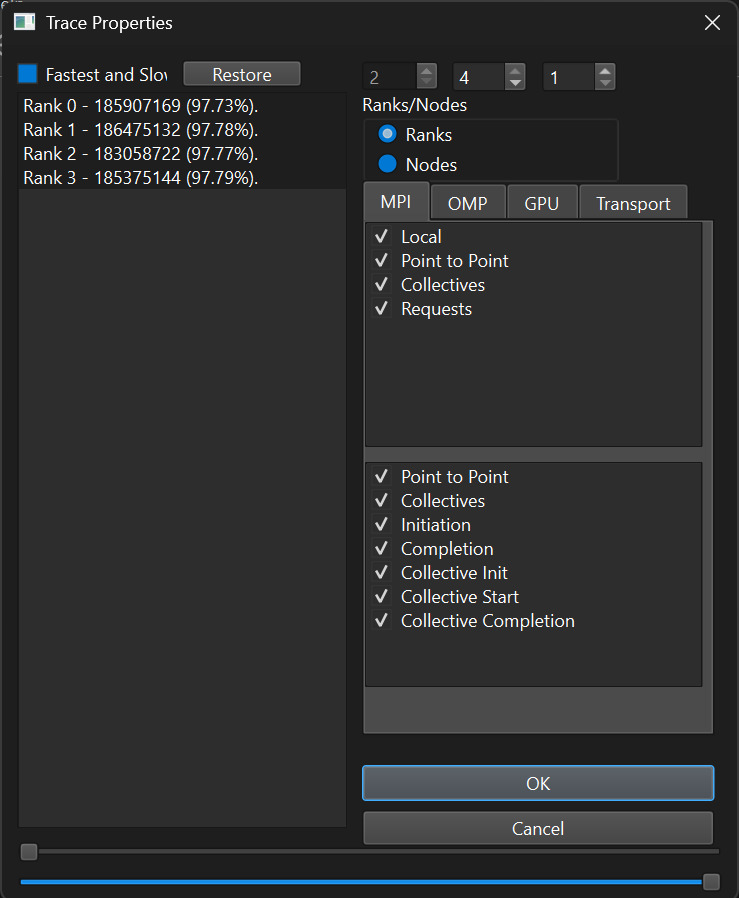
When a trace is opened, the Trace Properties dialog lets you choose what to load. The left list shows the ranks with their time and share of the run; the Fastest and Slowest option selects representative ranks only. Ranks can be grouped by ranks or nodes, and the MPI / OMP / GPU / Transport tabs select which function and message classes (point-to-point, collectives, requests, initiation, completion, etc.) are read. The two sliders at the bottom limit the time range.
Main window: timeline view
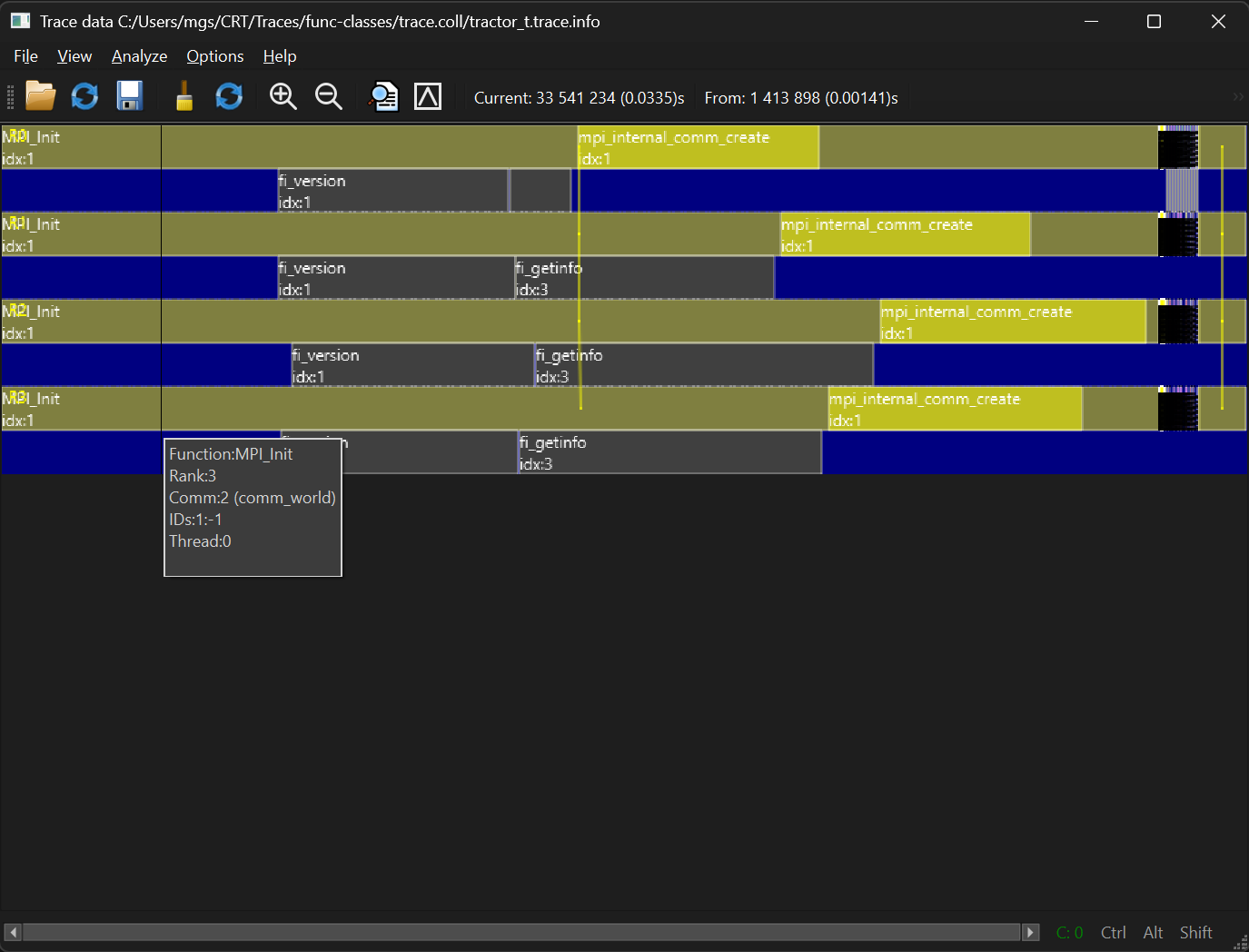
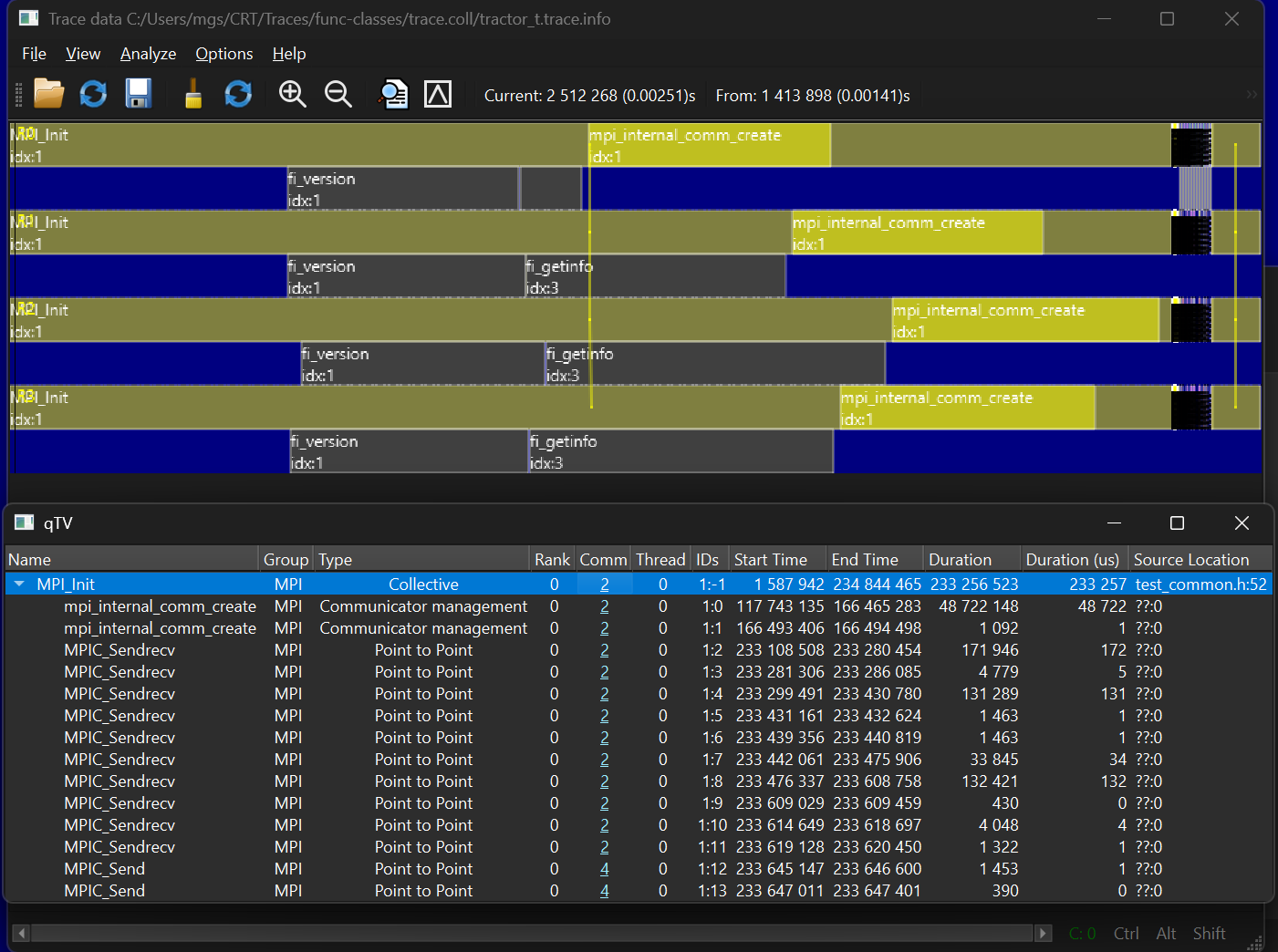
The main window shows one timeline per rank and thread, with events drawn as blocks along the time axis. The toolbar holds open/reload/save, zoom in/out and analysis actions; the header shows the cursor position and the start of the visible range (in clocks and seconds). Hovering over a block shows a tooltip with the function, rank, communicator, event IDs and thread.
Event details table
Selecting an event opens a table with that event and the events nested inside it: name, group, type (collective, point-to-point, communicator management), rank, communicator, thread, IDs, start/end time, duration and source location. Communicator numbers are links that open the communicator description.
Source code viewer
When the trace carries source locations, the event's file and line (the Source Location column) open in a built-in text viewer with the matching line highlighted. The toolbar offers Find, Replace and Go to Line; editing is locked unless Allow Save is checked. The status bar shows the current line and column.
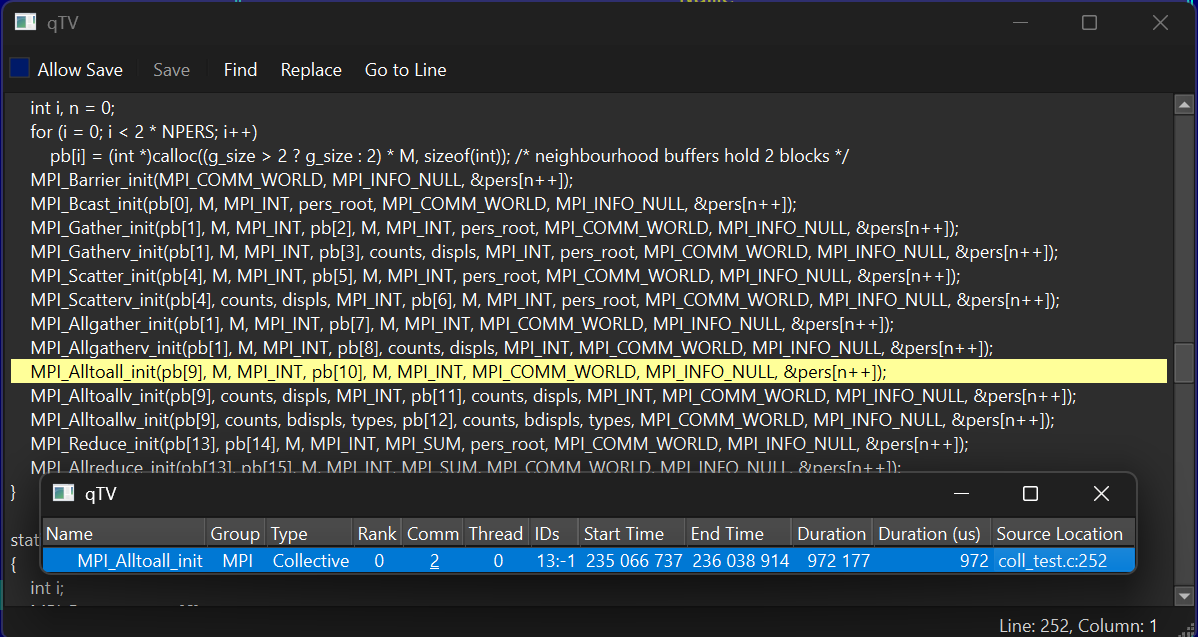
MPI_Alltoall_init at coll_test.c:252, highlighted in the source,
with its entry in the event details table.
Communicator information
Following a communicator link shows its ID, type (intra/inter), origin, size and the ranks in each group. Message lines in the timeline connect matching sends and receives.
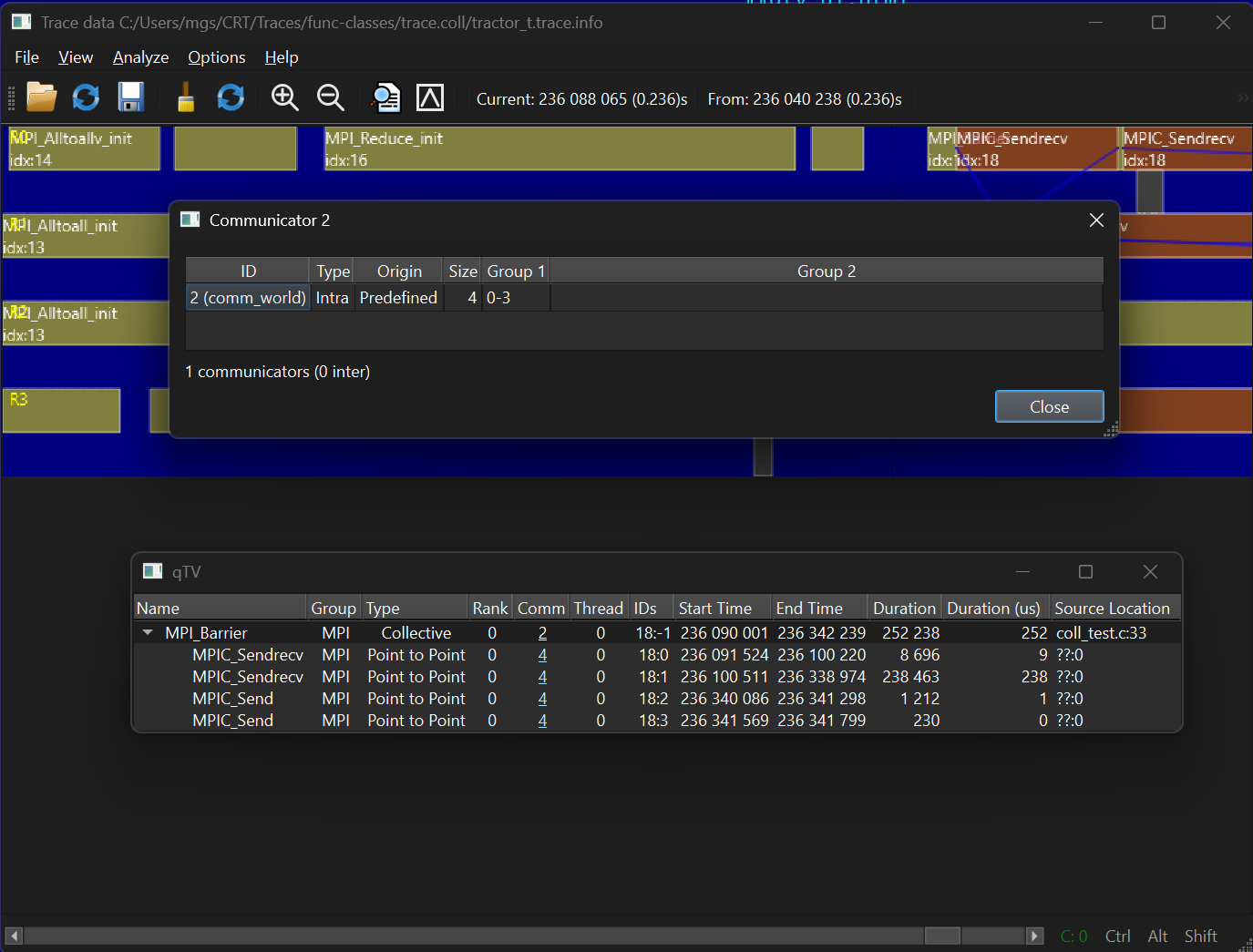
comm_world): intra-communicator, predefined, 4 ranks (0-3),
shown above the details of an MPI_Barrier.
Communicators list
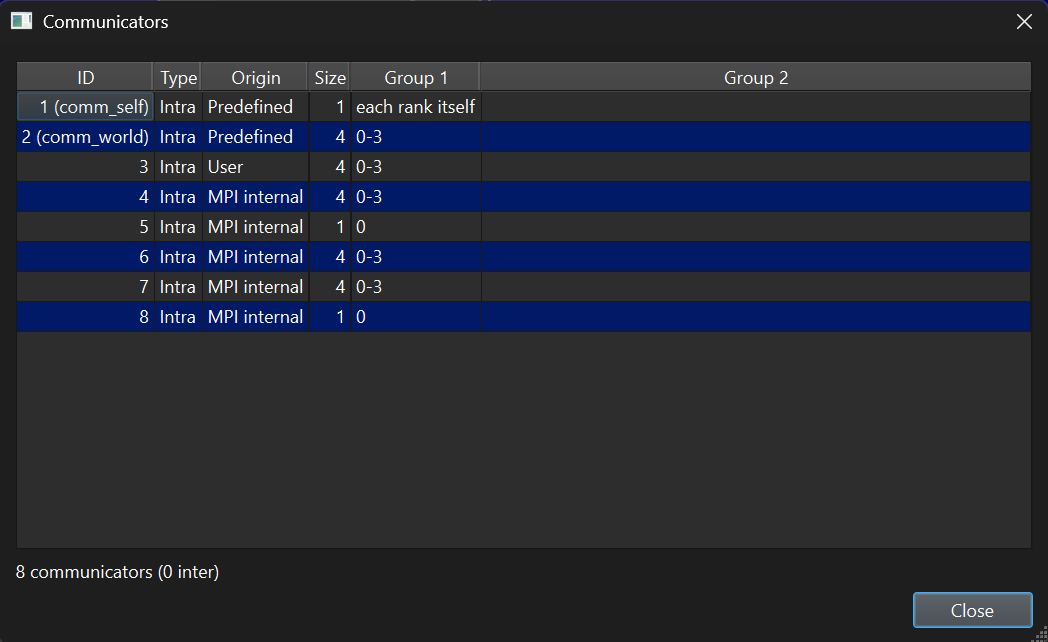
The full list of communicators in the trace: ID (with the name where known, such as
comm_self and comm_world), type, origin (predefined, user or
MPI internal), size and the ranks in each group. The footer gives the total count and
how many are inter-communicators.
Filtering
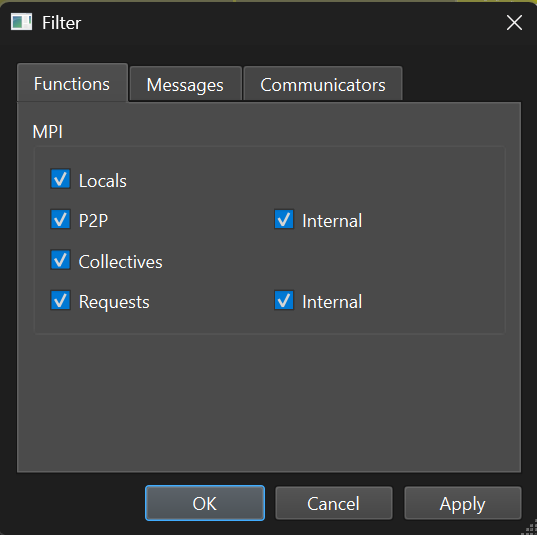
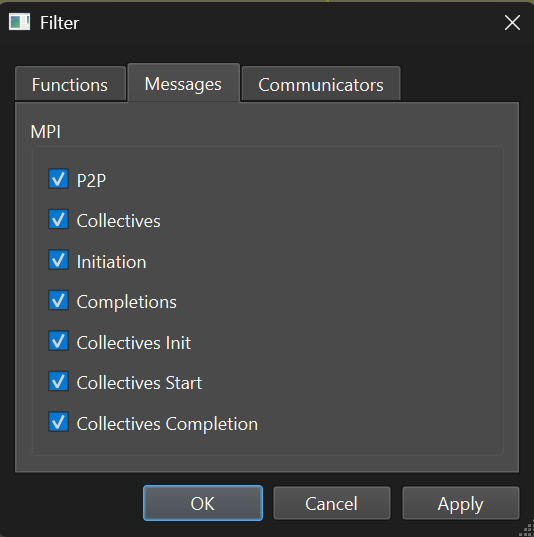
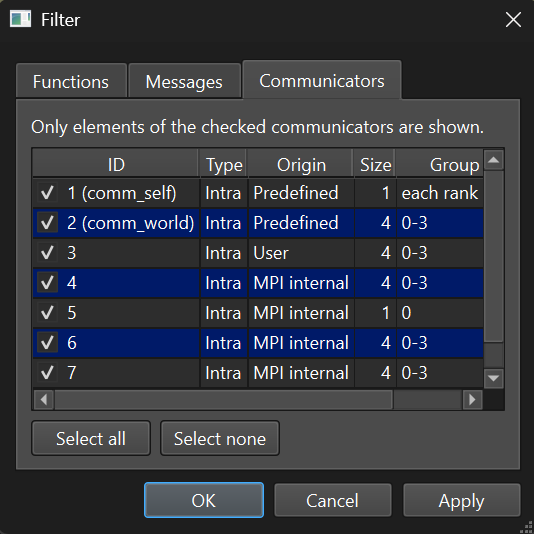
The Filter dialog narrows what the timeline shows. It has three tabs; changes take effect with Apply or OK.
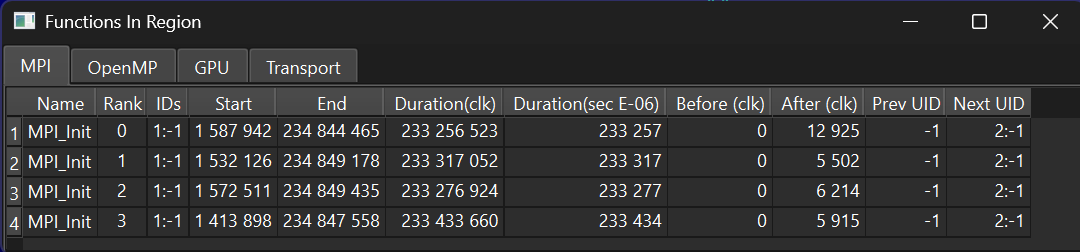
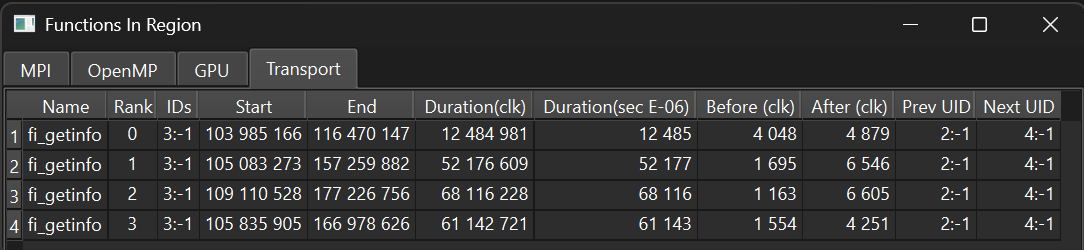
Functions in region
A per-region summary with tabs for MPI, OpenMP, GPU and Transport calls. For every rank it lists start and end, duration (in clocks and microseconds), the time before and after the call, and the IDs of the previous and next events.